

Web portal · Pro plan
Your training, on the big screen.
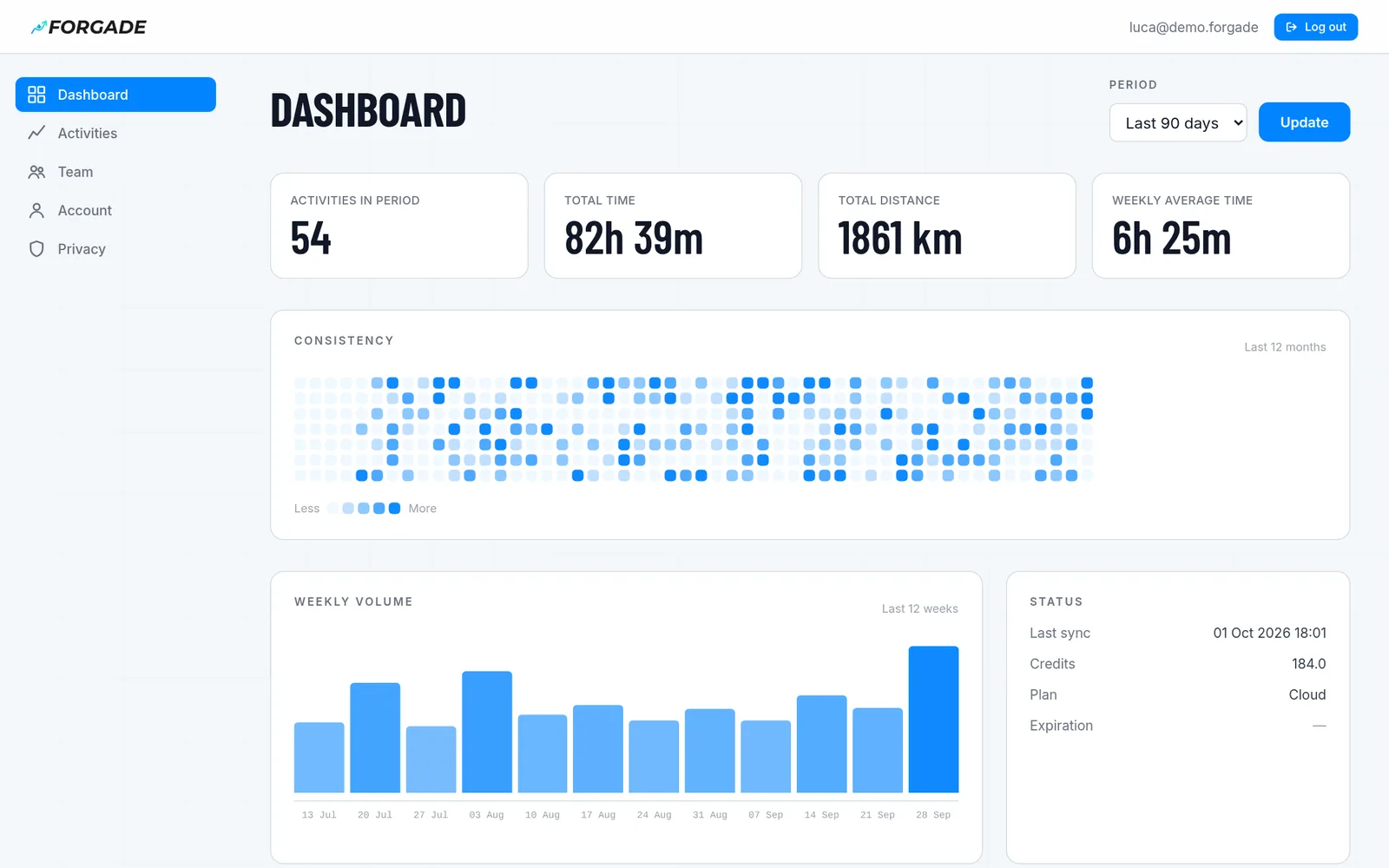
Open forgade.com on your computer and every activity synced from your phone is there: zoomable charts, heart rate zones, the map and the Coach: the same conversation as the app, reading your cloud copy. If you coach a team, you see the squad on one page, with the recovery of those who share it, and the Coach drafts your workouts.
Your phone stays the original: no activity is edited from the web. The cloud copy exists only if you turn it on, and you turn it off whenever you like.
Analysis
Every activity, full screen
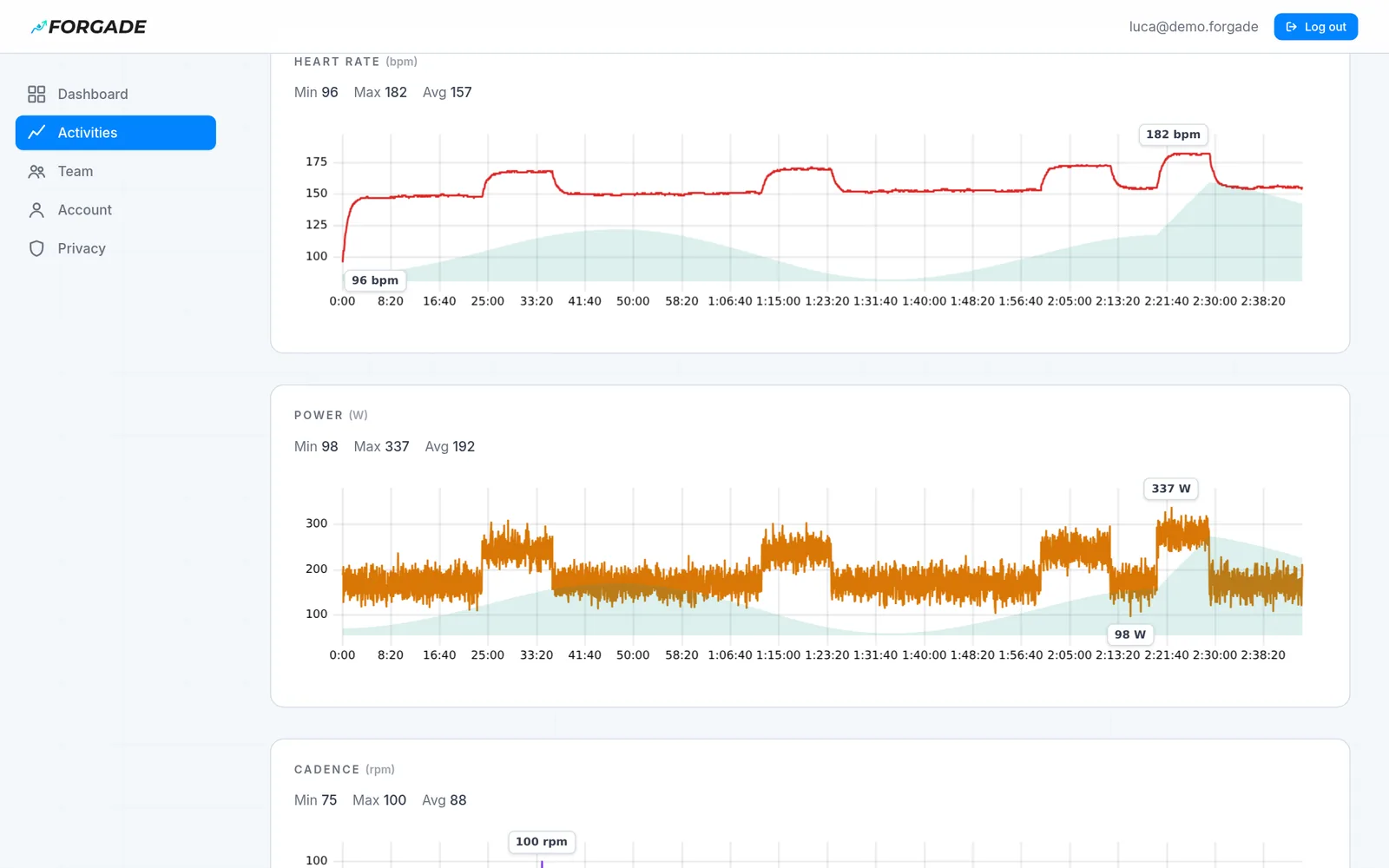
On your phone you read the summary. Here you open the whole series, second by second, and drag across a chart to zoom into any stretch.
- Heart rate, power, cadence, speed and altitude, with min, max and average
- Zoom into any stretch: the server recomputes only the window you look at
- Pauses and signal drops stay gaps, not invented lines
- Time in the five heart rate zones
- Route map, if you turn it on from the Privacy page
- Activity list filtered by sport, period and title
Coach
The app's Coach, in the browser
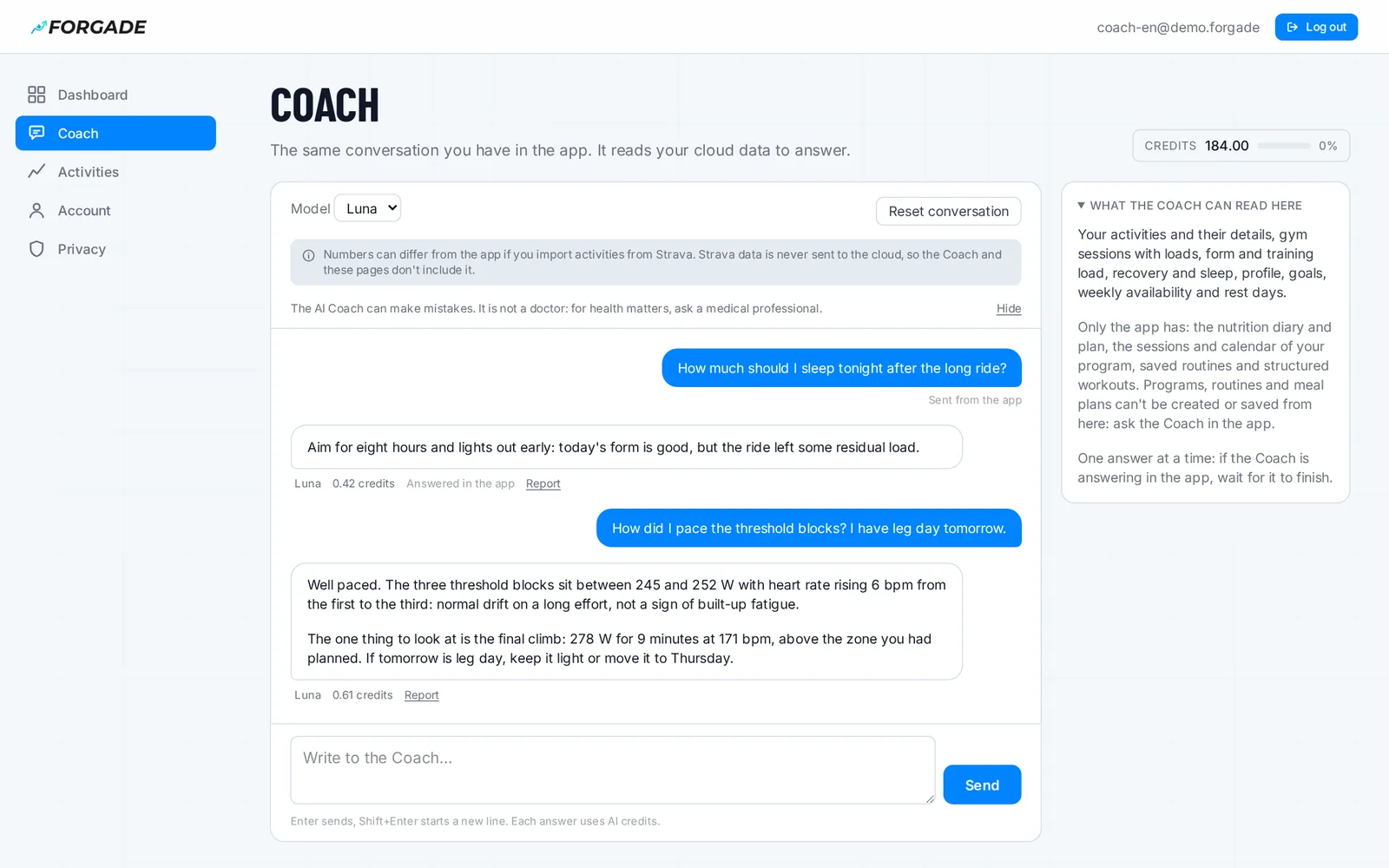
Open Coach in the menu: it is the conversation you have in the app, with the same history, so you can start on your phone and continue on the computer. To answer, it reads your cloud copy: activities with laps, zones and series, gym sessions, form and load, sleep and heart rate variability, goals, availability, program and calendar. The Coach button on an activity opens it already pointed at that one.
- Same conversation as the app: write in one place, continue in the other
- Needs a consent of its own and the conversation kept in the cloud; both can be turned off from Privacy
- It reads your program and calendar, and can prepare a workout, a routine or a program: nothing reaches your phone until you approve it in the app
- It never reads Strava data, the nutrition diary or the steps of guided sessions: only the app has those
- Each answer uses AI credits, the same ones as the app
For coaches
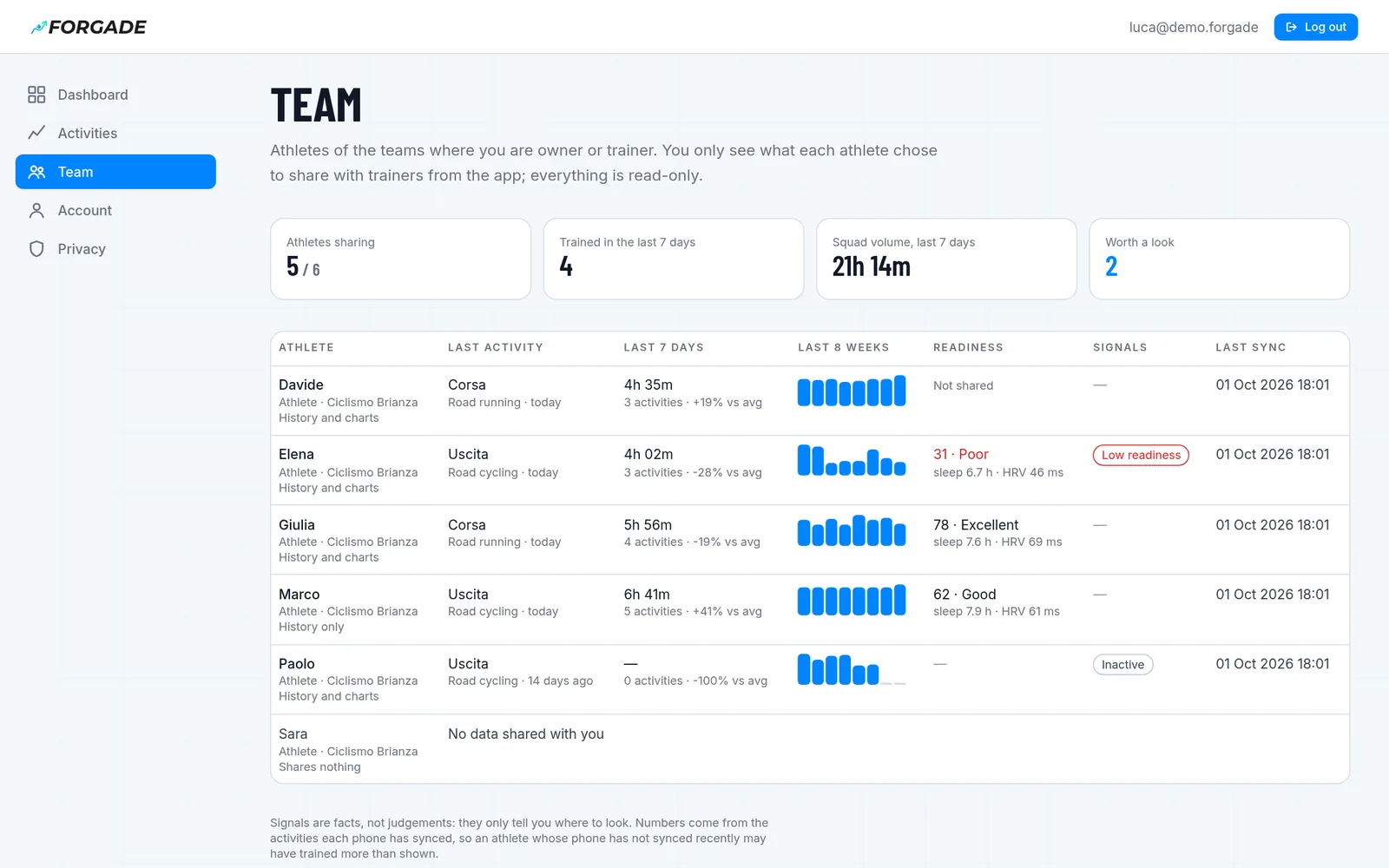
Your squad, on one page
If you own or coach a team, the portal has a Team section. For each athlete: last activity, the last 7 days' volume against the 4 weeks before, the last 8 weeks and today's readiness. Signals tell you where to look.
- Signals: idle for days, load jump, low readiness, a phone that stopped syncing
- For each athlete, readiness, sleep, HRV and resting heart rate for the last 7 days
- Free-text diary notes never reach the coach
- You only see what each athlete picks in the app: history, charts, recovery
- Athletes who don't share still appear, so you know why their data is missing
Coach on the squad
One question, the whole squad
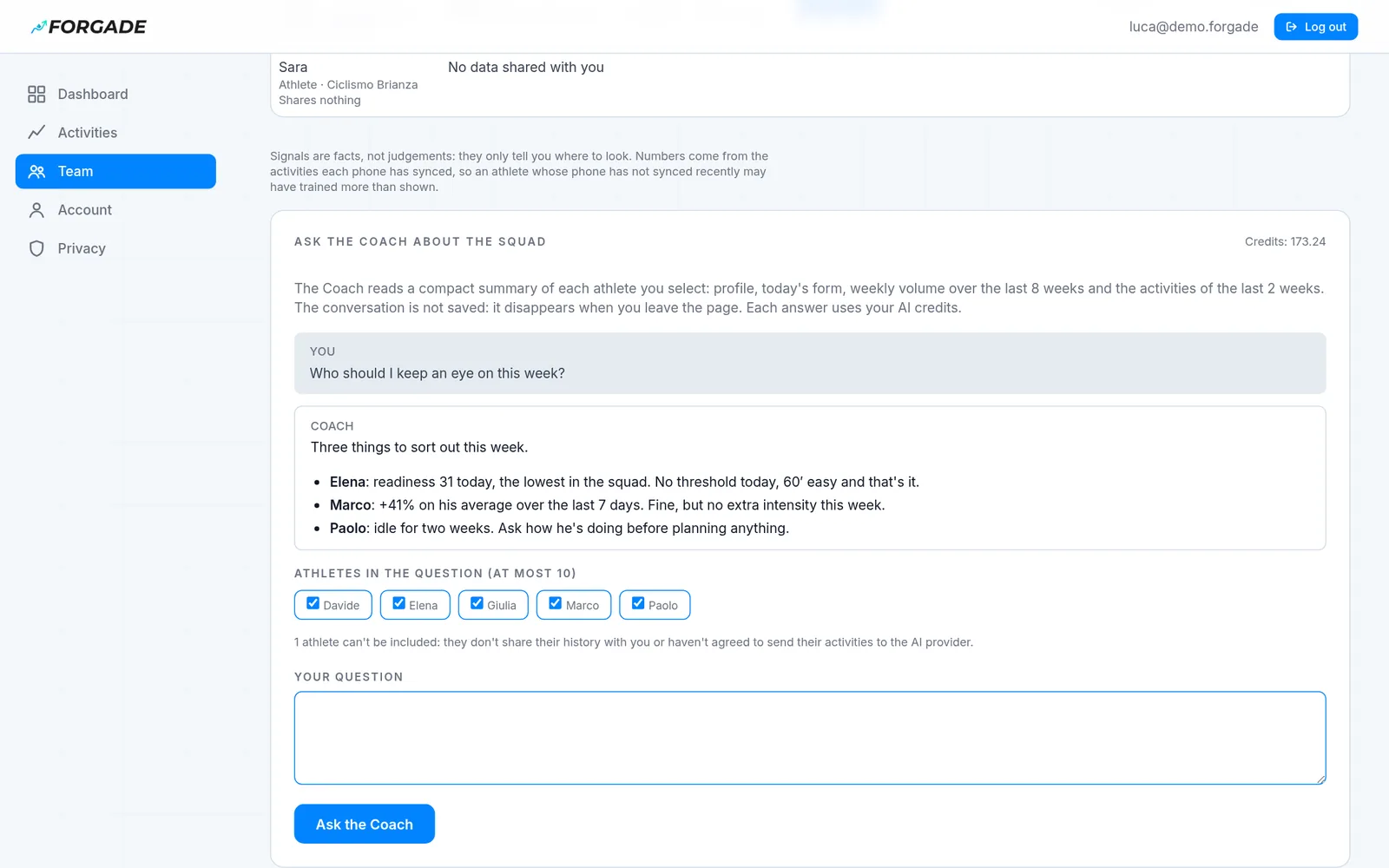
Tick the athletes and ask. For each one the Coach reads today's form, volume over the last 8 weeks and the last 2 weeks of activities, and tells you where to step in. From an athlete's page you can also ask about their last eight weeks.
- Up to 10 athletes per question
- Only athletes who share their history and agreed to the AI provider
- We do not save it; the AI provider (Microsoft Azure, in Europe) keeps it for up to 30 days for abuse monitoring only, as the privacy policy says
- The credits are yours, not your athletes'
Workouts
The Coach drafts the session, you send it
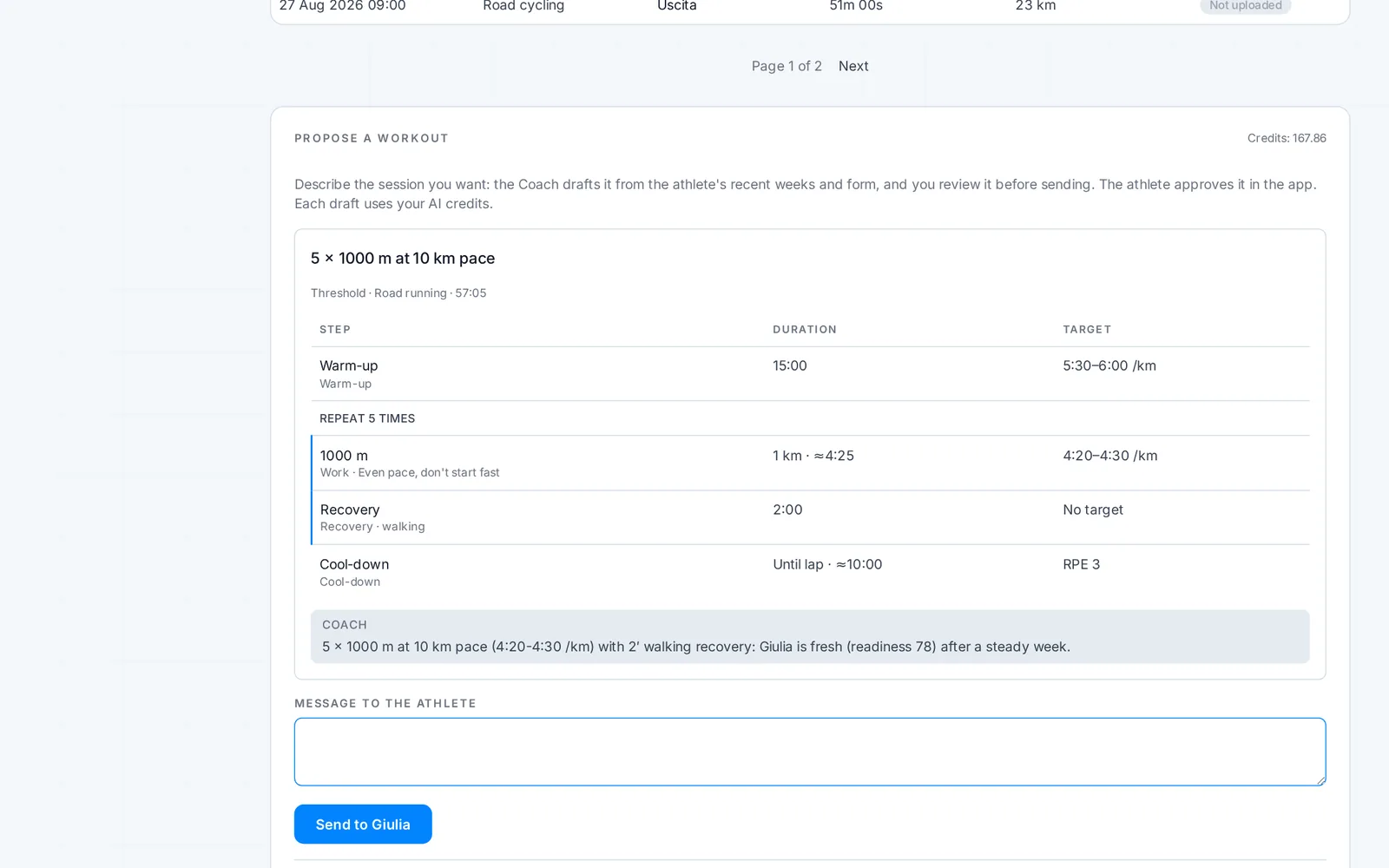
From an athlete's page, describe the session you want: run repeats at a set pace, a turbo session, a pool set. The Coach drafts it from their form and recent weeks; you review it, ask for a change if needed, add a message and send it.
- It passes the same checks as the phone: sports and sensors the athlete really has
- For strength, you see their gym sessions and build a gym routine, or ask the Coach for one, checked against their gyms and equipment
- It reaches the app as a proposal: it's used only if the athlete approves
- Each draft uses your credits
- Athletes can turn proposals off from the team's Privacy
Your data
Separate consents, one click to turn off
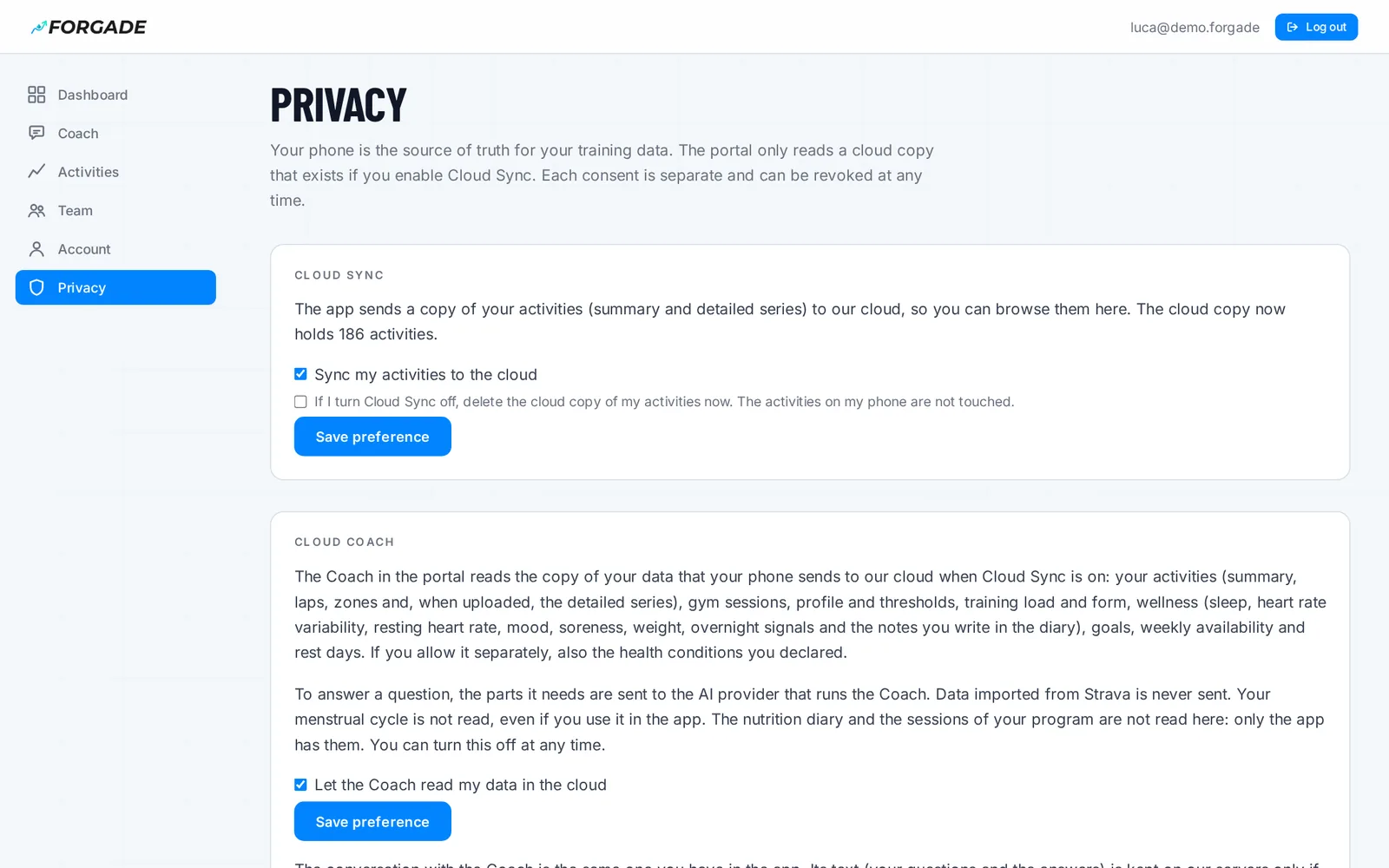
The cloud copy, the Coach reading your data, keeping the conversation, the Coach's memory and the map are five different choices. None turns on another, and each one is revoked from the portal's Privacy page.
- Turn Cloud Sync off and the cloud copy is deleted right away
- Stop keeping the conversation and it is deleted, here and in the app, after you confirm
- Activities on your phone are never touched
- Download everything the server knows about you as JSON
- Delete your account from the website, no app needed
Questions
How much does it cost?
The portal is part of the Pro plan, which also includes 50 AI credits a month. During the beta Pro can't be bought yet: we switch it on for testers. Ask through the beta form.
Do I have to keep my data on your server?
Only if you want the portal. Without Cloud Sync your activities stay on your phone and the server holds no workouts. With Cloud Sync there's a copy, which you delete by turning it off. Details in the privacy policy.
Does my coach need Forgade?
Yes: an account on the Pro plan, as owner or trainer of your team. They only see what you share from the app.
What does my coach see?
What you switch on in the team's Privacy, in the app: history and trends, gym sessions, charts and sensor series (with the sets of each gym session), recovery (readiness, sleep, HRV). Never your diary notes. Each switch turns off whenever you like, and the portal follows right away.
Can I use it on my phone?
Yes, the pages adapt. But on your phone you already have the app, which does more: the portal is built for the big screen.
Open your activities on your computer
The guide takes five minutes: how to turn on the cloud copy, where to find your activities and how to invite your coach.