

AI coach · Endurance · Gym · Nutrition
The AI coach that sees your rides, lifts and meals together
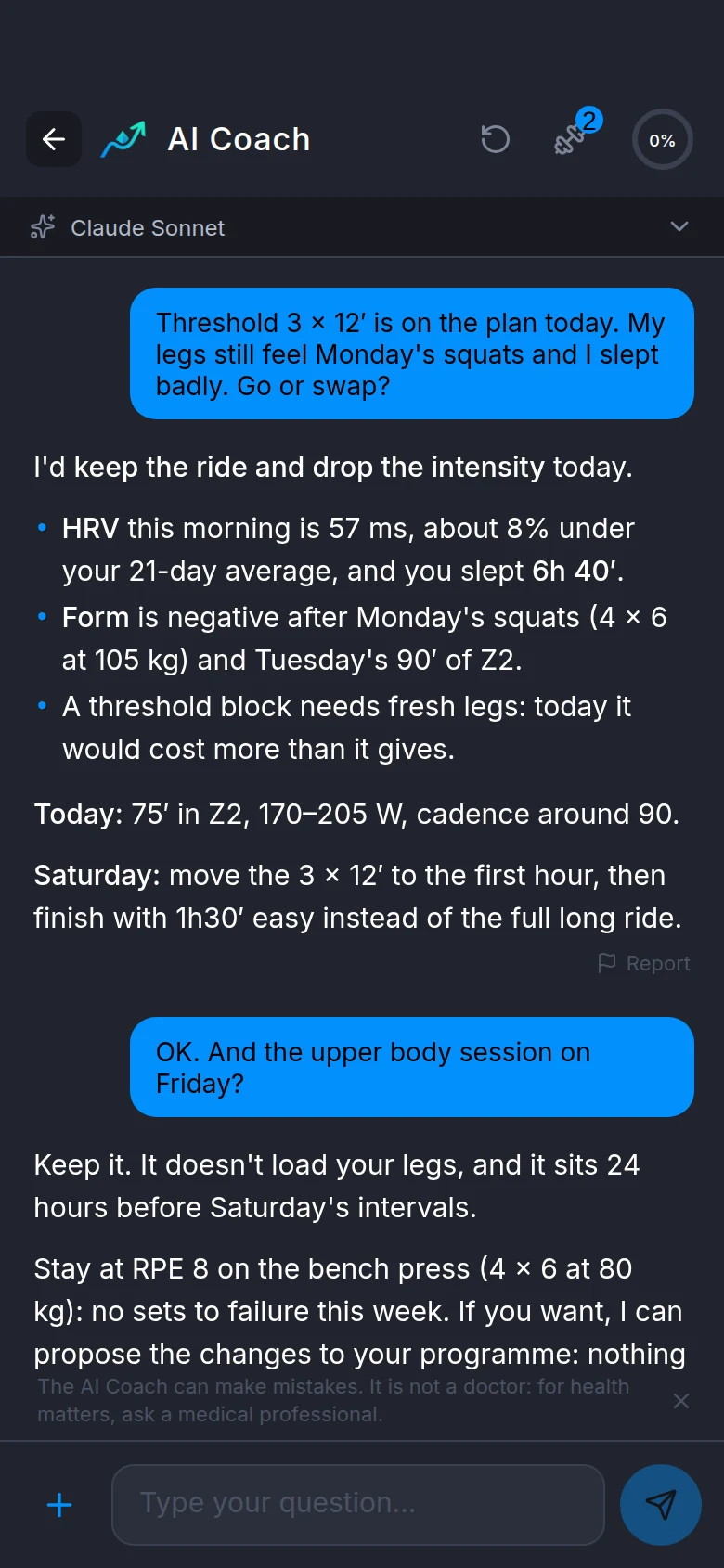
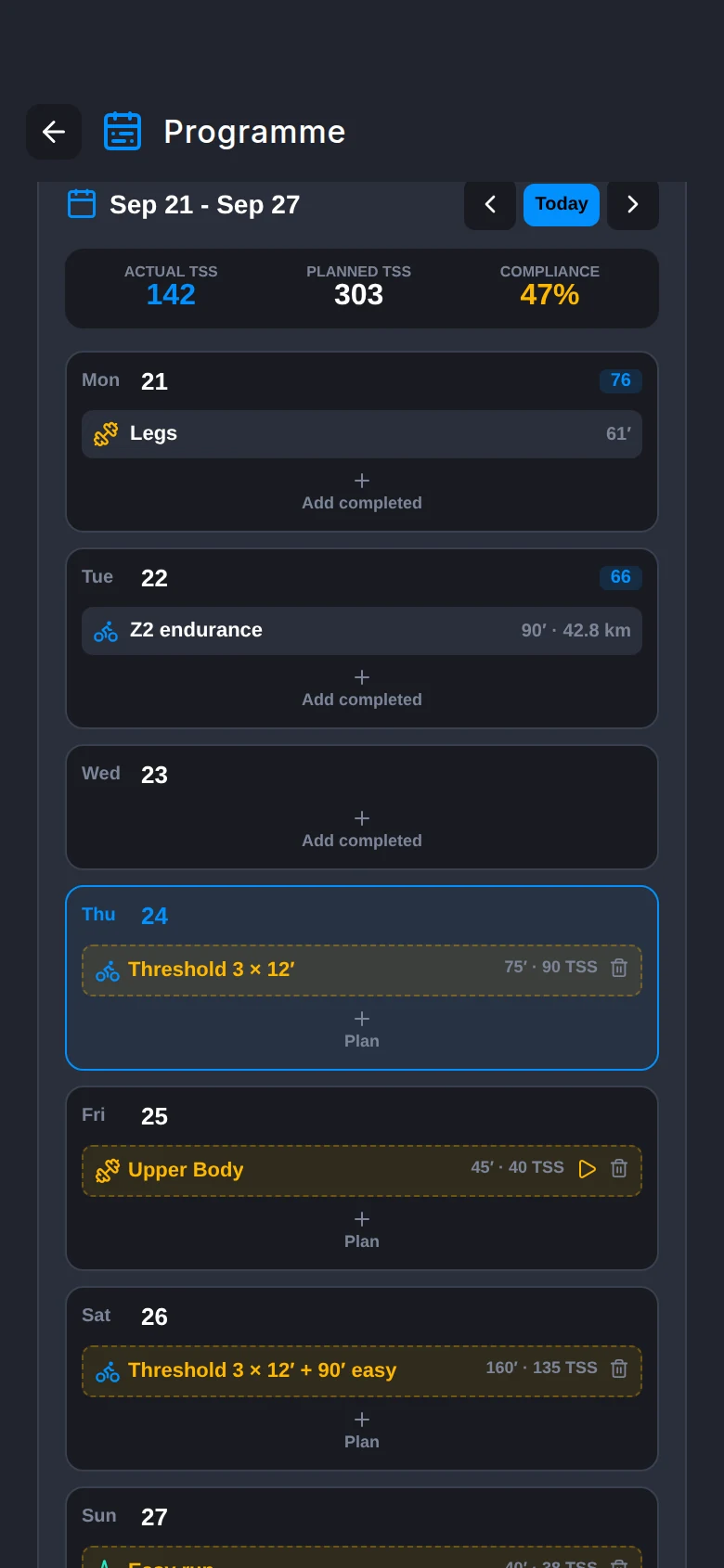
Threshold 3 × 12′ is on the plan, you did heavy squats on Monday and slept 6h 40′ last night. Ask «go or swap?»: the coach checks HRV, load and sleep and tells you what to do today. Free to start.
Questions
Write to it like you would to a coach
Nothing to prepare. The coach fetches the data the question needs: yesterday's ride, the load of the last few weeks, how you slept.
«Should I do intervals today?»
It reads recovery, sleep, soreness, HRV and load, and tells you whether to do them, shorten them or move them.
«How did yesterday's ride go?»
Laps, zones, weather and how you were that day. Nothing to attach: «my last workout» or «my last gym session» is enough.
«Compare my last three long rides»
It searches the past year for you, no need to dig them up.
«How was my eating this week?»
It checks your diary against each day's targets. A half-logged day is read as half-logged, not as a fast.
Proposals
Programmes, routines and structured workouts you can start
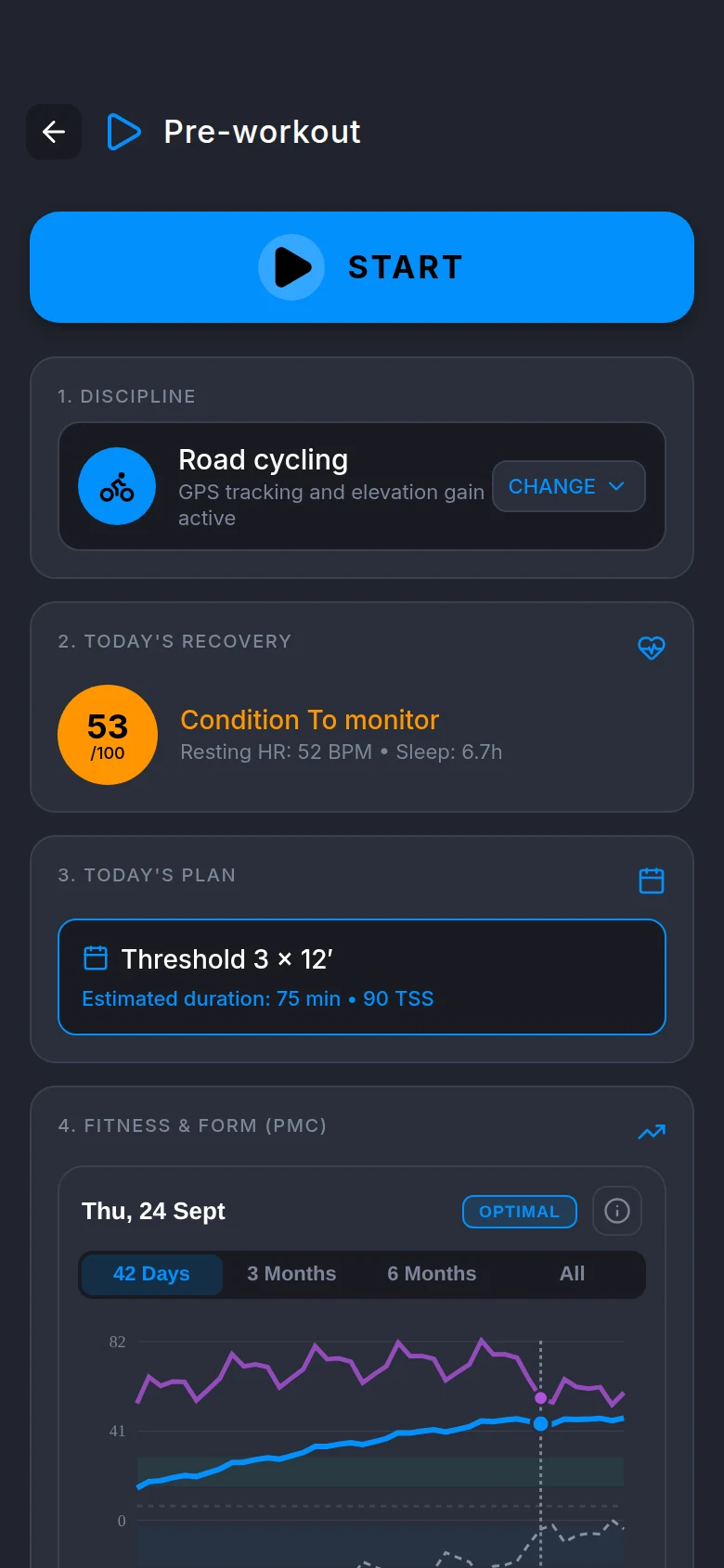
Ask for a three-week programme, a 45-minute leg routine with dumbbells, an hour of threshold on the trainer. The coach proposes them; once you approve, they're already in the app: the routine starts in the gym tracker, the structured workout in the cockpit.
- Multi-week programmes mixing cycling, running and strength, dated in your calendar
- Routines built only from catalogue exercises and your gym's equipment
- Weights in kg only when your history backs them up
- Structured workouts for every sport except strength, with power, heart rate, cadence, pace or speed targets depending on the sensors you have
- Sports with no measurable target get the session written out in blocks, to follow by feel
Calendar
Move a session and the coach notices
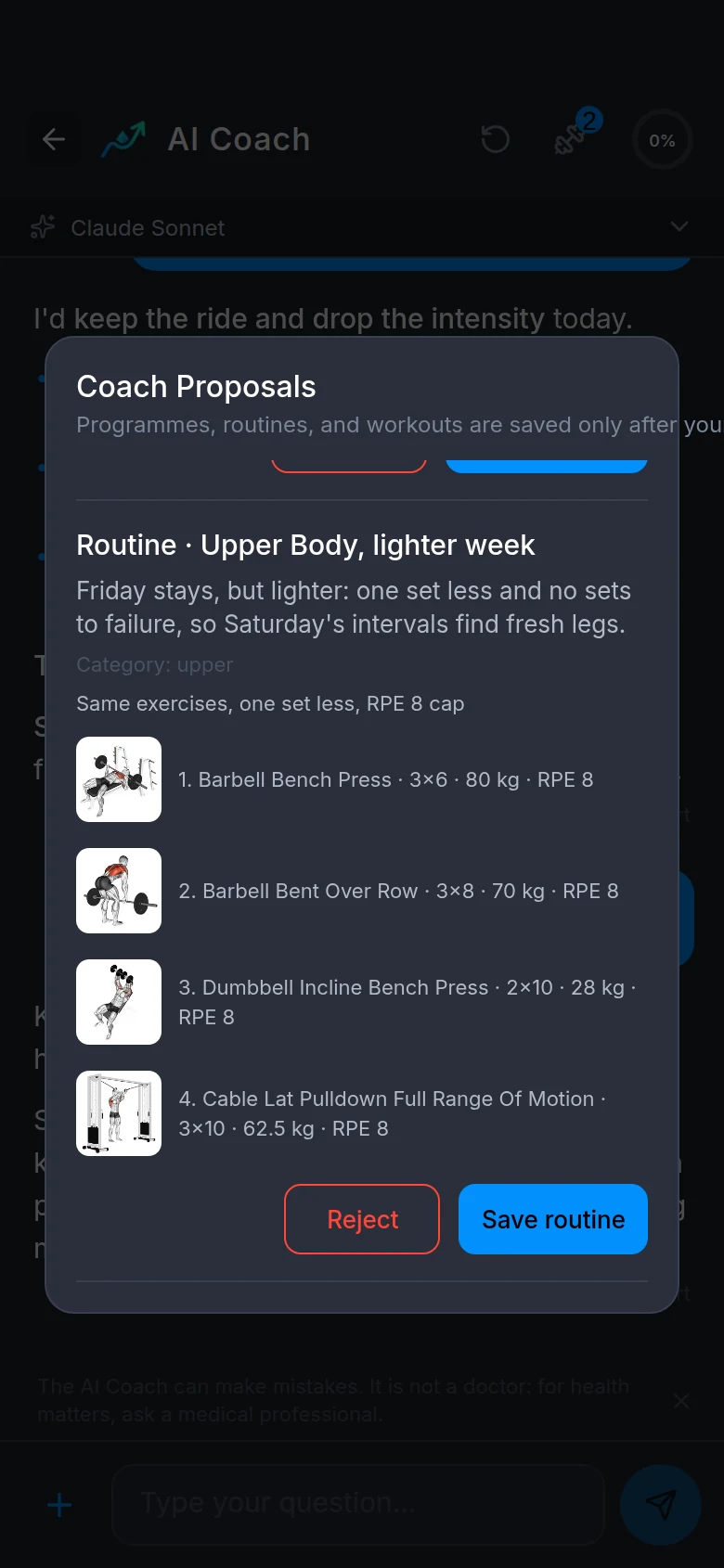
Change a workout's date or mark it skipped in the programme calendar. By your next message the coach knows, and won't propose yesterday's session again. To rework the week, just write «move the long ride to Saturday and drop the last session».
- Targeted changes, without rebuilding the programme
- Every programme linked to the goal in your profile
- No available days set? It picks provisional dates and tells you
- Every programme goes through checks before it reaches you: a taper before the race, a share of easy work, no big jump in a single run
- Before an outdoor session in the heat, the app computes the WBGT from the forecast and offers to shorten it, slow it down or move it
- From the calendar's "+" you add a race (with its GPX file: distance, elevation gain and climbs), a rest day, or different availability for a single date. The Coach plans around what you marked
- A past session with no activity shows up on Home: you mark it done, skipped or moved, and the Coach knows
- The Coach compares the planned duration, load and intensity with the real ones of the last four weeks; if three sessions of the same sport went the same way, lighter or harder than planned, it proposes recalibrating the programme, and you approve it
Nutrition
How much to eat today, based on tomorrow's training
Daily targets follow the sessions in your calendar: more carbs before the long ride, fewer on a rest day. Ask «I'm riding four hours tomorrow, how do I fuel?» and you get grams, timing and what to put in your bottles.
- One- or multi-day meal plans with foods you already eat; each meal logs to your diary with one tap
- Respects your diet, the 14 EU allergens and the foods you've excluded
- Move the linked session and it proposes the updated plan
- Supplements: starts from the ones you have, doses per kg of body weight, never above the label
- Searches 755 whole foods from open EU and US composition tables
Recovery
Why today's recovery is low
Your recovery score depends on sleep, soreness, HRV and resting heart rate. The coach tells you which of them is dragging it down, compared with your own average, not someone else's.
- Up to a year of wellness data, weight included
- Training load, fitness and fatigue from every sport, gym included
- Takes into account the health conditions you add to your profile
- No diagnoses: if something looks off, it describes it and suggests a doctor
Data
What leaves your phone
With each message the Coach receives your profile and your training state; the rest it asks your phone for only when the question needs it. Microsoft Azure OpenAI processes the messages, in Europe, and may keep them for up to 30 days solely for abuse monitoring. With the Europe setting the message never goes to any other provider: if Azure does not answer, the Coach shows an error. With the Global setting a backup service takes over. The privacy policy explains the terms. The conversation stays on our servers until you delete it: that is how the chat remembers what you were talking about.
- Talks only about training, nutrition and recovery
- Every reply can be reported
- Ask «how was today's run, I'm tired»: the Coach looks at pace per kilometre, the second half against the first and heart-rate drift
- When you restart the chat, you choose to keep the highlights or delete it all
- You choose where the model processes your messages, in Europe or the rest of the world, and you can change it whenever you like
Questions
How much does it cost?
Recording, analysing and training use no credits. Credits are only for the coach: a free account gets 2 to try it, Lite gives 25 a month, Pro 50, also on the annual plan; plan credits do not carry over from one month to the next. Each reply costs according to the model you pick in the chat.
Does the coach change my programme on its own?
No. Programmes, routines, structured workouts, meal plans and supplements arrive as proposals. You approve or reject them, and it never touches the activities you've done.
What stays on your servers after a conversation?
Once a turn is closed, what stays is the chat transcript (the in-app chat needs it to work), the memory, only if you agree, and the usage numbers. The phone snapshot and the tool results are removed. «Save highlights» keeps only the note, never the chat. If you delete the account, withdraw the memory consent or turn the history off, the notes go too.
Do I need a power meter or a watch?
No. With a power meter structured workouts use watts, without one they use heart rate. The coach works with the data you have.
Can I use it from my computer?
Yes, from the Pro plan's web portal, to ask about your data. Programmes and proposals are approved in the app.
Can it be wrong?
Yes, like any AI model. That's why it saves nothing without your say, every reply can be reported, and for health matters it always points you to a doctor.
Ask it your first question before your next workout.
Free, no credit card. Your workouts stay on your phone.